

key takeaways
Your WordPress development needs can grow faster than your team.
A WordPress website rarely remains a one-time development project.
As a business grows, the website often needs new pages, integrations, functionality, performance improvements, security updates and ongoing maintenance.
At some point, the question becomes:
Should you hire more developers internally, work with freelancers, or outsource WordPress development to a dedicated development partner?
There is no single answer.The right model depends on how much development you need, how frequently you need it and how closely you want the development team to work with your business.
This guide explains when WordPress development outsourcing makes sense, which engagement models are available and what to look for when choosing a development partner.
What is WordPress development outsourcing?
WordPress development outsourcing means working with an external developer or development team to handle some or all of your WordPress development requirements.
Instead of hiring every technical resource internally, you access development expertise when you need it.
This can include:
- WordPress website development
- Custom theme development
- Plugin development
- Figma to WordPress
- Front-end development
- Website maintenance
- Bug fixing
- Performance optimisation
- Third-party integrations
- API development
- Security updates
- Technical support
The engagement can be project-based, retainer-based or structured around dedicated development hours.
Why do businesses outsource WordPress development?
The reason is usually not simply cost.
For many businesses, the bigger requirement is development capacity.
1. Your internal team is overloaded
Your developers may already have product, application or infrastructure work to manage.
Website development keeps getting pushed down the priority list.
2. You need specialist WordPress expertise
Your requirement may involve WordPress architecture, custom plugins, performance optimisation or integrations that your existing team does not regularly handle.
3. Your development workload fluctuates
You may need 40 hours one month and 150 hours the next.
Maintaining the same internal headcount throughout that cycle may not make sense.
4. You need ongoing maintenance
A website requires more than the initial build.
Updates, bug fixes, security, performance and new functionality continue after launch.
5. You need to launch faster
An external development team can add capacity without waiting for a full recruitment and onboarding cycle.
When should you outsource WordPress development?
The clearest signal is usually a recurring development bottleneck.
If your team repeatedly has more WordPress work than it can handle, outsourcing may be worth considering.
Your website is becoming a development project
If your WordPress website has evolved from a marketing site into a critical business platform, development requirements usually increase.
You may now have:
- Multiple integrations
- Custom functionality
- Lead-generation workflows
- CRM integrations
- Marketing automation
- Custom templates
- Multiple content types
- Performance requirements
At this stage, treating WordPress as something that only needs occasional updates can create problems.
You need development every month
If your team requires ongoing development rather than a single website build, a retainer or dedicated development model may be more suitable than hiring a freelancer for every task.
Instead of starting from scratch for each requirement, the development team already understands your website and technical environment.
You need to increase capacity temporarily
A product launch, website redesign or campaign can create a temporary increase in development workload.
Outsourcing allows you to add development capacity for that period without permanently increasing headcount.
Which WordPress development model should you choose?
| Model | Best suited for | Development capacity | Long-term knowledge |
|---|---|---|---|
| Freelancer | Small or one-off projects | Variable | Depends on individual |
| Project-based agency | Defined website projects | Project-based | Moderate |
| Retainer | Recurring development | Predictable | High |
| Dedicated Developer | Ongoing development | Flexible | High |
| Extended Development Team | Agencies with changing workloads | Scalable | High |
The important question is:
Which model matches the way your development work actually happens?
Dedicated WordPress Developer vs Project-Based Development
A dedicated developer is useful when development requirements continue beyond a single project.
A business may need the same developer to work on:
- Website improvements
- New landing pages
- Custom functionality
- Bug fixing
- Performance
- Integrations
- Maintenance
Because the developer remains involved over time, they build familiarity with the website and technical environment.
A project-based engagement can be more suitable when the requirement has a defined beginning and end.
Choose project-based development when:
Defined scope → Fixed deliverables → Specific launch date
Consider dedicated development when:
Recurring requirements → Changing priorities → Ongoing development
How agencies use outsourced WordPress development
For agencies, the requirement is slightly different.
An agency may have more client projects than its internal development team can handle.
Hiring developers permanently creates another problem:
What happens when the pipeline slows down?
This is where an extended or white-label development model can help.
Agency ( Infographic )
Client relationship
Strategy
Project management
↓
Development Partner
WordPress development
Front-end development
QA
Technical support
↓
Agency’s Client
Final website delivered under the agency’s brand
The agency can increase technical capacity without maintaining the same development headcount internally.
What should you look for in a WordPress development partner?
1. Technical capability
Check whether the team has experience with the technologies your website actually uses.
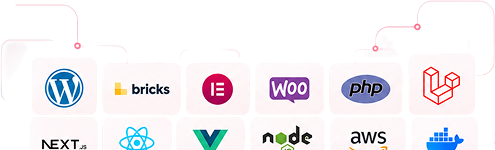
WordPress · PHP · JavaScript · APIs · Custom Plugins · Elementor · Figma · React
2. Communication
Clarify:
- Who manages the developer?
- Who handles technical questions?
- How are tasks assigned?
- How often are updates provided?
- Where is work tracked?
3. Scalability
Your development requirement may change.
Ask whether the partner can:
Increase capacity → Maintain capacity → Reduce capacity
without forcing you to change partners.
4. Existing WordPress experience
Ask whether they have experience maintaining existing WordPress websites rather than only building new ones.
Maintenance requires understanding existing code, plugins, hosting, integrations, legacy functionality and performance.
5. Long-term ownership
A development partner should consider:
Performance → Stability → Security → Maintainability → Scalability
What can you outsource?
You don’t necessarily have to outsource your entire WordPress operation.
Development
Custom WordPress development
Theme development
Plugin development
Figma to WordPress
Maintenance
Updates
Bug fixing
Security
Performance optimisation
Technical integrations
APIs
CRM integrations
Payment gateways
Marketing platforms
Front-end
HTML/CSS
JavaScript
Responsive implementation
UI development
How much WordPress development should you outsource?
There is no universal number.
Your requirement should be based on your actual development pipeline.
Low recurring workload
20–40 hours/month
Suitable for occasional updates, fixes and small improvements.
Regular development workload
60–120 hours/month
Suitable for ongoing website development and maintenance.
High development workload
120+ hours/month
Suitable for businesses with continuous development requirements or agencies managing multiple client projects.
The right capacity should follow your actual workload rather than an arbitrary package.
What does a good outsourcing partnership look like?
The strongest outsourcing relationships don’t feel like sending tickets to an unknown external vendor.
The development team understands:
Your website
↓
Your technology
↓
Your workflows
↓
Your priorities
↓
Your business requirements
That context becomes increasingly valuable as the relationship continues.
Common mistakes when outsourcing WordPress development
Choosing only on price
The lowest hourly rate doesn’t necessarily produce the lowest overall development cost.
Rework, communication gaps and poor-quality implementation can increase the actual cost.
Treating every requirement as a new project
If your website needs continuous development, repeatedly onboarding new developers can create unnecessary knowledge gaps.
Not defining ownership
Before development starts, clarify ownership of code, hosting, credentials, documentation, backups and deployment.
Ignoring maintenance
A website isn’t finished when it goes live.
Post-launch maintenance should be considered part of the development lifecycle.
Outsourcing vs In-House WordPress Development ( table )
| Factor | In-House | Outsourced |
|---|---|---|
| Hiring time | Higher | Lower |
| Control | Direct | Structured through collaboration |
| Development capacity | Fixed by headcount | Can be scaled |
| Specialist access | Depends on team | Broader access possible |
| Recurring workload | Good fit | Good fit |
| Temporary workload spikes | Can create capacity issues | Easier to scale |
| Long-term product knowledge | High | High with dedicated model |
Neither model is universally right.
The decision should depend on your team’s size, workload, technical requirements and expected development volume.
A Simple Framework for Deciding
Ask these five questions:
01
Do we need WordPress development every month?
02
Does our internal team have enough capacity?
03
Do we need specialist WordPress expertise?
04
Does our development workload fluctuate?
05
Would retaining an existing development team reduce repeated onboarding?
If you answer yes to several of these, outsourcing or a dedicated development model may be worth evaluating.
Final Takeaway
WordPress development outsourcing isn’t simply about moving development work outside your company.
The right model gives your business access to technical capacity, specialist expertise and continuity without requiring every development requirement to become a new hiring exercise.
For a one-time website, project-based development may be enough.
For ongoing development, maintenance and changing requirements, a dedicated development partnership can provide more continuity.
For agencies, an extended or white-label development team can provide the flexibility to take on additional client work without scaling internal development headcount at the same pace.
The key is choosing a development model that matches how your workload actually operates.
Need WordPress Development Capacity?
Would retaining an existing development team reduce repeated onboarding?
If you answer yes to several of these, outsourcing or a dedicated development model may be worth evaluating.
Frequently Asked Questions
What is WordPress development outsourcing?
WordPress development outsourcing is the practice of working with an external developer or development team to handle WordPress development, maintenance or technical requirements.
Is outsourcing WordPress development better than hiring in-house?
It depends on your requirements. In-house teams provide direct internal control, while outsourcing can provide flexible development capacity and access to specialist expertise without increasing permanent headcount.
How much does WordPress development outsourcing cost?
Costs vary based on the development model, required expertise, hours, technology and project complexity.
What is a dedicated WordPress developer?
A dedicated WordPress developer is a developer assigned to work continuously on a client’s website or projects for an agreed period or number of hours.
Can agencies outsource WordPress development?
Yes. Agencies can use external WordPress development teams to increase technical capacity while retaining ownership of client relationships, strategy and project management.
Can WordPress maintenance be outsourced?
Yes. WordPress maintenance can include updates, bug fixing, security checks, performance optimisation, backups, troubleshooting and ongoing technical support.